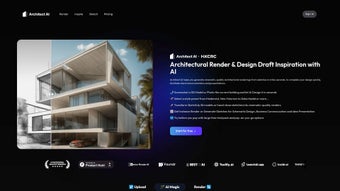

Download Architect AI – AI‑Powered Architectural Rendering Tool for Fast, Secure Design Updates
Overview
Architect AI is a next‑generation artificial‑intelligence platform purpose‑built for architects, interior designers, and visualisation specialists who need photorealistic renderings without the steep learning curve of traditional 3D software. By harnessing advanced GPT‑based models, the tool can convert a hand‑drawn sketch, a low‑resolution photograph, or even a simple floor‑plan PDF into a fully textured, lighting‑aware 3D scene in under two minutes. The core mission of Architect AI is to accelerate the design workflow, allowing professionals to iterate rapidly, present compelling concepts to clients on the spot, and close projects faster than ever before.
Beyond rendering, the platform includes a suite of collaborative features such as secure share links, real‑time comment threads, and natural‑language prompts that let stakeholders request design tweaks without needing any CAD knowledge. The cloud‑first architecture guarantees that all processing happens on high‑performance servers, meaning users only need a modern web browser and a stable internet connection. All assets are encrypted in transit (TLS 1.3) and at rest (AES‑256), and the service complies with GDPR, ISO 27001, and offers EU‑based data residency for teams that require strict data localisation.
Architect AI also provides a flexible pricing model: a 14‑day free trial with up to 20 high‑resolution renders, followed by monthly or annual subscription plans that include a set number of rendering credits, priority support, and optional on‑premise processing for highly regulated firms. In practice, early adopters report a 30‑40 % reduction in design turnaround time, fewer revision cycles thanks to the intuitive natural‑language interface, and higher client satisfaction scores because ideas can be visualised instantly during meetings. Whether you run a multi‑office studio, a boutique consultancy, or work as a solo practitioner, Architect AI delivers a secure, scalable, and cost‑effective solution that brings AI‑driven creativity to every stage of the architectural design process.
Core Features & Benefits
- Sketch‑to‑Render Engine: Upload a hand‑drawn floor plan or elevation and let the AI generate multiple design variations, complete with lighting, textures, and contextual surroundings.
- Photo‑to‑Render Converter: Transform an existing building photograph into a fresh concept by describing changes in natural language (e.g., “replace the façade with glass panels and add a rooftop garden”).
- Style Library: Choose from over 150 architectural styles—from Brutalist concrete to Mid‑Century Modern—plus a collection of landscape presets and material palettes.
- Real‑Time Client Collaboration: Share a secure link with stakeholders; they can add comments, request tweaks, and even modify design parameters directly in the browser.
- High‑Resolution Export: Export renders at 4K or higher for print, marketing, or VR integration, with optional HDR and depth‑map outputs.
- Version Control & Cloud Storage: Every iteration is saved automatically, enabling you to revert to previous versions or compare design pathways side‑by‑side.
- API Access: Integrate Architect AI into existing BIM or CAD pipelines through RESTful endpoints, facilitating automated batch rendering.
The benefits of these features extend far beyond raw speed. By automating the labor‑intensive rendering process, architects can redirect valuable time toward conceptual design and client interaction. The natural‑language interface lowers the barrier for non‑technical stakeholders, fostering clearer communication and reducing the number of revision cycles.
Moreover, the cloud‑first architecture ensures that teams working across different locations can collaborate without the need for costly on‑premise hardware. Security is baked in with end‑to‑end encryption, meaning your proprietary designs stay confidential throughout the rendering pipeline. In addition, the extensive style library enables rapid exploration of design alternatives, helping firms win more bids by presenting multiple aesthetic options in a single meeting.
The API empowers larger studios to embed rendering directly into their existing workflows, turning what used to be a manual, time‑consuming step into a single click. Overall, Architect AI delivers a compelling mix of speed, flexibility, and security that modern architectural practices demand.
Installation, Usage & Compatibility
Getting Started – Quick Installation Guide
Architect AI is delivered as a SaaS platform, which eliminates the need for traditional software installation on your workstation. To begin, visit the official website, create a free account, and verify your email address. Once logged in, you can access the dashboard from any modern browser (Chrome, Edge, Firefox, or Safari). For teams that prefer a desktop shortcut, a lightweight Electron wrapper is available for Windows 10/11, macOS 12+, and popular Linux distributions. The wrapper merely opens a dedicated browser window and handles automatic updates, ensuring you always run the latest AI models without manual intervention.
Step‑by‑Step Rendering Workflow
1. Select a Module: Choose “Sketch to Render” or “Photo to Render” from the main menu.
2. Upload Your Source: Drag‑and‑drop a JPEG, PNG, or PDF of your sketch/photo.
The system runs an instant OCR and image‑analysis routine to recognise walls, windows, and rooflines.
3. Define Your Vision: Use the text prompt box to describe desired changes (“Add a cantilevered balcony with glass railings”). The AI parses the request, maps it to the 3D scene, and begins generation.
4.
Review & Refine: Within 30‑90 seconds, a preview appears. You can toggle style presets, adjust lighting (sun position, time of day), and swap materials using sliders.
5. Export: Click “Download” to receive a PNG, JPG, or TIFF file.
For BIM workflows, choose the “Export to OBJ/FBX” option to import the model into Revit, SketchUp, or Blender.
6. Share: Generate a secure share link that expires after 7 days or set a password for extra protection.
System Requirements & Operating System Support
Because the heavy AI inference runs on Architect AI’s cloud servers, the local hardware requirements are minimal. A stable internet connection (minimum 5 Mbps download, 1 Mbps upload) and a recent browser version are sufficient. For the desktop wrapper, the following OS versions are officially supported:
- Windows 10 (64‑bit) and Windows 11
- macOS 12 Monterey and later
- Ubuntu 20.04 LTS, Fedora 34, and other recent Linux distros (via the .AppImage package)
The platform adheres to GDPR and ISO 27001 standards, providing data residency options for European users who require local processing. Updates to the AI engine, style library, and security patches are rolled out automatically on the server side, meaning you never need to manually download patches or worry about version incompatibilities. In addition, Architect AI offers a knowledge base, video tutorials, and live chat support to help new users get up to speed quickly. For enterprises, dedicated account managers are available to assist with onboarding, custom integration, and SLA negotiations. In summary, Architect AI offers a frictionless onboarding experience, a straightforward workflow, and broad OS compatibility that fits into virtually any modern design environment.
Pros, Cons & Frequently Asked Questions
Pros & Cons
- Pros:
- Lightning‑fast rendering from sketches or photos
- Intuitive natural‑language interface reduces learning curve
- Extensive style and material library for diverse projects
- Secure cloud storage with end‑to‑end encryption
- API integration supports automation in existing pipelines
- Cross‑platform access – Windows, macOS, Linux, iOS, Android
- Automatic updates keep AI models current without user effort
- Cons:
- Requires an internet connection; offline rendering not available
- Advanced photorealistic tweaks may still need a dedicated 3D tool
- Subscription pricing may be high for very small firms or freelancers
- Complex BIM integration currently limited to API endpoints (no native plug‑ins yet)
Frequently Asked Questions
Can I use Architect AI for interior design visualisations?
Yes. While the tool is marketed for architectural exteriors, the same AI engine can generate interior scenes. Upload a floor plan, describe the desired furniture style, lighting, and material finishes, and the system will produce a realistic interior render.
Is there a free trial or a free version?
Architect AI offers a 14‑day free trial with access to all core features and up to 20 high‑resolution renders. After the trial, you can choose between a monthly subscription or an annual plan that includes additional rendering credits.
How secure is my data when I upload sketches?
All uploads are encrypted in transit (TLS 1.3) and at rest (AES‑256). The platform complies with GDPR and ISO 27001, and you can opt for EU‑based data residency if required.
Can I integrate Architect AI with Revit or AutoCAD?
Yes. The API provides endpoints for sending DWG, RVT, or IFC files and receiving back OBJ/FBX models or rendered images. Plug‑ins for Revit and AutoCAD are under development and will be released later this year.
What rendering quality can I expect on a standard subscription?
Standard plans include up to 4K resolution with HDR lighting. Higher‑tier plans unlock 8K renders, custom lighting rigs, and unlimited material libraries.
Conclusion & Call to Action
Architect AI has quickly become a game‑changer for firms that need to turn conceptual sketches into client‑ready visualisations without the overhead of traditional 3D software. Its blend of AI‑driven speed, a robust style library, secure cloud collaboration, and flexible API access empowers architects to iterate faster, communicate more clearly, and close projects with confidence. While an internet connection is mandatory and the subscription cost may be a consideration for solo practitioners, the productivity gains, reduced revision cycles, and elevated client experience typically outweigh these drawbacks.
The platform’s commitment to security, automatic updates, and cross‑platform accessibility ensures that it will remain a reliable partner as design technology continues to evolve. If you’re ready to modernise your design workflow, boost presentation quality, and stay ahead of the competition, download Architect AI today and start your free trial. Experience the future of architectural rendering—where a simple sketch becomes a photorealistic masterpiece in seconds, and your creative ideas can finally keep pace with your imagination.



.png)



